The disposable email extension for Chrome
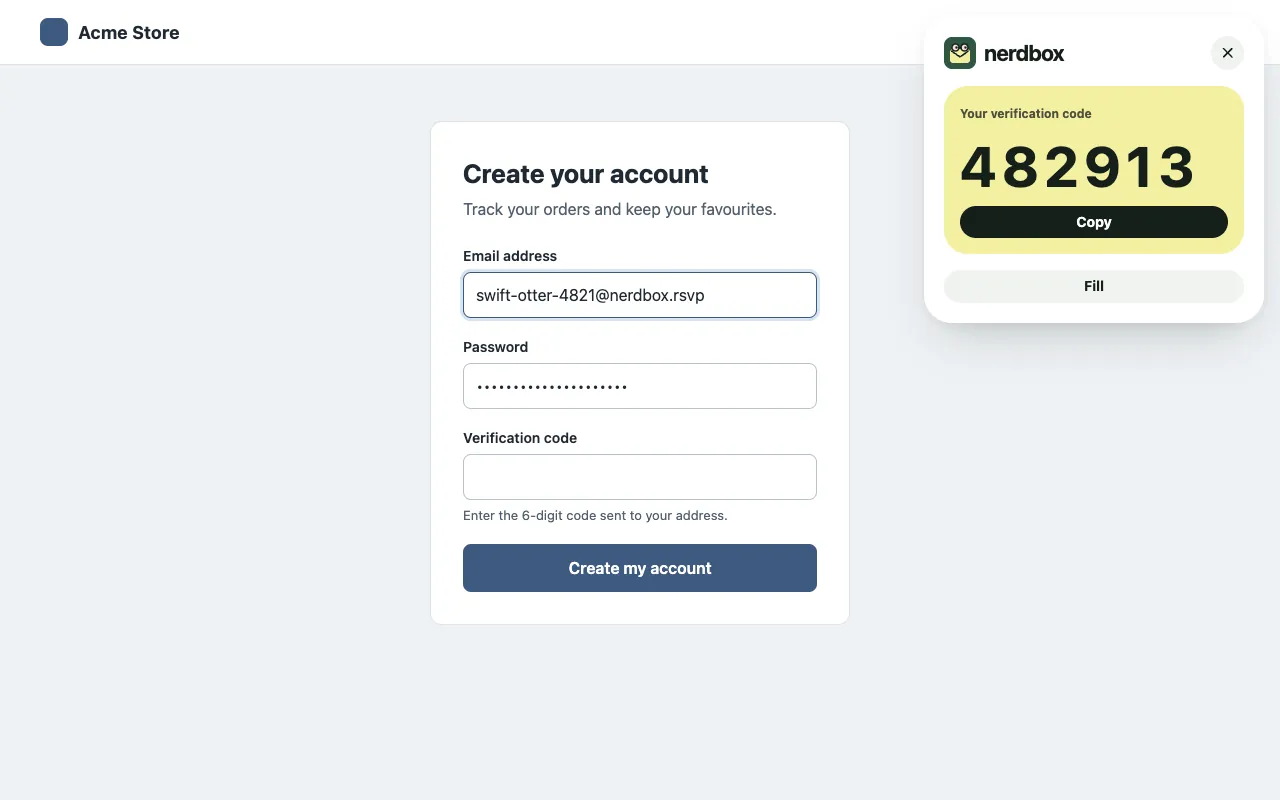
nerdbox for Chrome puts a new private address into a site’s email field, and shows you the verification code on the page as soon as it arrives.
How it works
- Right-click an email field and choose “Fill with nerdbox”, or press Alt+Shift+N.
- A new address is created in your account and typed into the field.
- When the site’s mail arrives, its code or confirmation link shows in a small panel on the page, ready to copy.
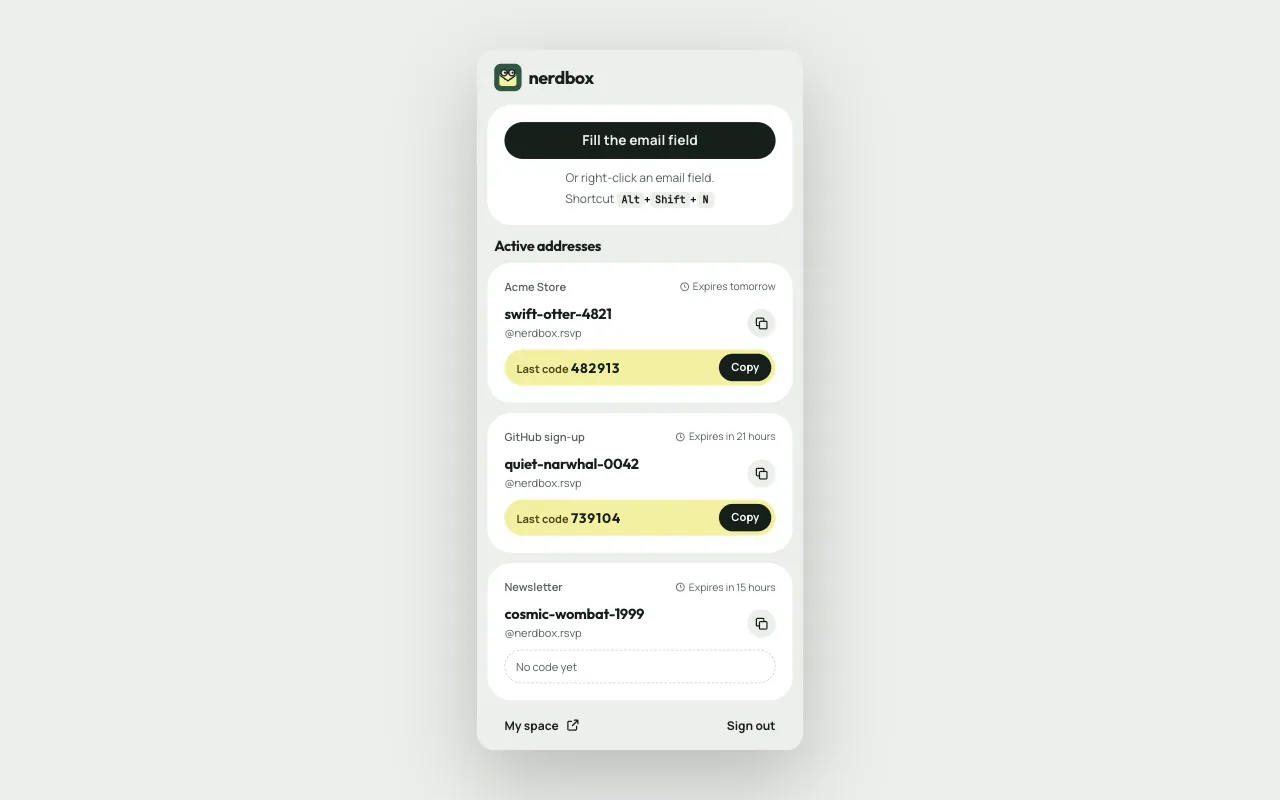
- The extension’s button lists your active addresses and their last code, and opens your space.
What you need
- Chrome on a computer.
- A free nerdbox account, created with Google, GitHub or your email, with a verified email and the terms accepted in your space.
What it can access
The extension reads nothing on a page but the email field you point at, and only after you use the menu, the shortcut or its button. No script of it runs on the sites you visit on its own.
- activeTab: the open tab, once you ask for it.
- scripting: to type the address into the field you chose.
- contextMenus: the “Fill with nerdbox” menu item.
- storage: keeps your session until Chrome closes.
- identity: to sign in with your nerdbox account.
Your data
The extension talks to nerdbox only. Its session is kept in Chrome’s session storage, emptied when the browser closes, and revoked when you sign out. Everything is described in the privacy policy.
Limits
- Chrome only, for now.
- Some sites refuse disposable addresses.
- An address made by the extension follows the same rules as the others: 24 hours, up to 7 days if you extend it, 5 at a time.
Try nerdbox
A free account, then a private disposable address whenever a site asks for one.
With Google, GitHub or your email. By creating an account, you accept the terms of use and the privacy policy.